The Complete Video Editing Series | HINDI
Course Details
Course Curriculum & Description
Course Overview
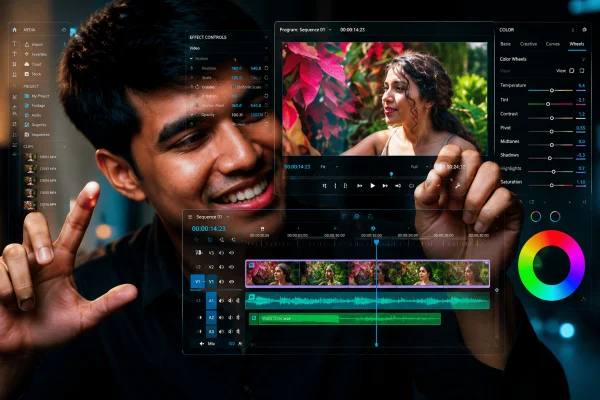
This beginner-friendly course teaches a complete professional video editing workflow using Adobe Premiere Pro, DaVinci Resolve, and After Effects. Students learn how to transform raw footage into polished videos through editing, audio enhancement, color correction, color grading, motion graphics, animation, and professional export.
Adobe Premiere Pro
- Creating your first project
- Importing and organizing clips
- Understanding frame rate and resolution
- Creating sequences
- Using the Source Monitor
- Understanding the timeline
- Razor, Ripple Edit, and Rolling Edit tools
- Adding effects and transitions
- Keyframe animation
- Lumetri Color
- Essential Graphics
- Essential Sound
- Timeline workflow and final video preparation
- Export settings
DaVinci Resolve
- Media Page
- Cut Page
- Edit Page
- Fusion Page
- Color Page
- Fairlight Page
- Deliver Page
- Color correction and cinematic color grading
- Exposure, white balance, and skin tone adjustments
After Effects
- Motion graphics
- Animated titles
- Lower thirds
- Keyframe animation
- Basic compositing and visual effects
Professional Workflow
The course brings Premiere Pro, DaVinci Resolve, and After Effects together into a practical workflow for taking a project from raw footage through editing, color grading, motion graphics, audio enhancement, and final delivery.
Course Content
13 sections, 27 lectures, and approximately 5 hours 56 minutes of total content.
Who This Course Is For
- Absolute beginners in video editing
- Content creators and YouTubers
- Freelancers and creative professionals
- Aspiring filmmakers and video editors
- Students interested in video production and media
- Hobbyists who want to learn professional video editing
What You Will Learn
- Edit raw footage into polished professional videos using Adobe Premiere Pro
- Master Premiere Pro timelines
- cuts
- transitions
- effects
- and text tools
- Sync
- clean up
- and mix audio using Premiere Pro
- Use the Essential Sound panel to improve audio quality
- Perform color correction and color grading in DaVinci Resolve
- Adjust exposure
- white balance
- and skin tones
- Create motion graphics
- animated titles
- and lower thirds in After Effects
- Learn keyframe animation and basic compositing
- Build a workflow across Premiere Pro
- DaVinci Resolve
- and After Effects
- Apply practical editing techniques for YouTube
- filmmaking
- and professional projects
- Export videos correctly for YouTube
- and client delivery
Course Prerequisites
No prior experience with Adobe Premiere Pro or video editing is required. Basic computer skills are required. Adobe Premiere Pro installed on a computer is required. Basic knowledge of video formats and resolutions is helpful but not required.
Course Highlights
Beginner-friendly video editing course in Hindi
6 hours of on-demand video
13 sections and 27 lectures
Adobe Premiere Pro training
DaVinci Resolve color grading and editing
After Effects motion graphics and animation
Audio editing and enhancement
Professional editing workflow
Practical real-world editing techniques
Lifetime access
Mobile and TV access
Certificate of completion