Coursera Ideogram ElevenLabs Generative AI

Google AI Professional Certificate
By Google Career Certificates Posted: Aug 13, 2026

Course Details

Pricing Free
Offered By Google
Difficulty Beginner
Duration Approximately 8 hours
Language English
Certificate None

Course Curriculum & Description

Google AI Professional Certificate

The Google AI Professional Certificate is a beginner-friendly program designed to help learners build practical artificial intelligence skills for the modern workplace. The program focuses on using AI effectively for research, planning, communication, content creation, data analysis, and app development.

Course Overview

This professional certificate provides hands-on learning across key areas of artificial intelligence and generative AI. Learners explore how to work with AI tools, write effective prompts, improve productivity, analyze information, create content, and develop practical AI-powered solutions.

What You Will Learn

  1. Understand fundamental artificial intelligence concepts.
  2. Explore generative AI and its practical applications.
  3. Write effective prompts for AI tools.
  4. Use AI as a professional collaborator.
  5. Apply responsible AI principles.
  6. Use AI for research and information gathering.
  7. Improve planning and workplace productivity with AI.
  8. Create written and visual content using AI.
  9. Use AI for data analysis and data wrangling.
  10. Create data-driven insights and visualizations.
  11. Explore AI-powered app and workflow development.
  12. Build practical AI solutions for professional tasks.

Course Curriculum

1. Introduction to Artificial Intelligence

Build a foundation in artificial intelligence and understand how modern AI systems can support everyday professional activities. Explore common AI concepts, applications, capabilities, and limitations.

2. Generative AI and Prompting

Learn how generative AI works and how to communicate effectively with AI systems. Develop practical prompting skills to generate useful, relevant, and reliable results.

  1. Generative AI fundamentals
  2. Prompt design
  3. Prompt refinement
  4. Context and instructions
  5. AI-assisted workflows

3. AI for Research and Planning

Learn how AI can support research, information organization, planning, brainstorming, and decision-making. Develop workflows that help transform information into useful insights and actionable plans.

4. AI for Communication and Content Creation

Explore practical applications of AI for professional writing and content production. Learn how AI can assist with drafting, editing, ideation, presentations, visual content, and communication.

  1. Content ideation
  2. Writing and editing
  3. Communication
  4. Presentation development
  5. Visual storytelling
  6. Creative workflows

5. AI for Data Analysis

Learn how AI can assist with working with data and extracting meaningful insights. Explore data preparation, analysis, interpretation, and visualization workflows.

  1. Data preparation
  2. Data wrangling
  3. Data analysis
  4. Data interpretation
  5. Data visualization
  6. AI-assisted insights

6. Building AI-Powered Solutions

Explore practical approaches to creating AI-powered applications and workflows. Learners can experiment with no-code approaches and modern AI-assisted development techniques.

  1. AI-powered applications
  2. No-code development
  3. AI-assisted coding
  4. Workflow automation
  5. Problem-solving with AI

7. Applying AI in the Workplace

Bring the skills together through practical activities and workplace-oriented use cases. Learn how to identify tasks where AI can improve efficiency while maintaining human oversight and responsible use.

Practical Learning

The program emphasizes hands-on activities rather than theory alone. Learners can apply AI to realistic professional scenarios involving research, planning, communication, content creation, data analysis, and application development.

Who Is This Course For?

  1. Beginners who want to understand artificial intelligence.
  2. Professionals looking to improve workplace productivity with AI.
  3. Students exploring careers involving AI and technology.
  4. Content creators and marketers interested in generative AI.
  5. Business professionals looking to incorporate AI into workflows.
  6. Analysts interested in AI-assisted data analysis.
  7. Anyone looking to build practical AI skills without requiring advanced programming knowledge.

Prerequisites

No previous artificial intelligence or advanced programming experience is required for this beginner-level program. Basic computer skills and an interest in learning and experimenting with AI are recommended.

Key Skills Covered

  1. Artificial Intelligence
  2. Generative AI
  3. Prompt Engineering
  4. Responsible AI
  5. AI Workflows
  6. Research
  7. Content Creation
  8. Data Analysis
  9. Data Visualization
  10. Business Communication
  11. AI-Powered Creativity
  12. App Building
  13. AI-Assisted Development

Certificate

Successful learners can earn a shareable professional certificate that can be used on resumes, professional profiles, and LinkedIn.

Why Learn AI?

Artificial intelligence is becoming an important part of modern professional workflows. Developing practical AI skills can help learners work more efficiently, automate repetitive tasks, analyze information, create content, and solve problems with greater speed and flexibility.


What You Will Learn

  • Build practical AI fluency with Google experts. Learn responsible AI
  • prompting
  • research
  • content creation
  • data analysis
  • AI workflows
  • and no-code app building through hands-on projects.

Course Prerequisites

No prior AI experience required
Basic computer and internet skills
Willingness to learn and experiment with AI tools
No programming experience required for the core program

Course Highlights

Beginner friendly
7-course professional certificate
20+ hands-on activities
Self-paced online learning
Google-created curriculum
Shareable professional certificate
Practical workplace-focused projects
No prior AI experience required
Available in multiple languages
Recently updated in February 2026


Tagged Topics & Skills

Categories:
Skills Mapped:
Machine Learning Prompt Engineering AI Literacy AI Powered Creativity Artificial Intelligence Visual Storytelling Responsible AI Google Gemini Generative AI Content Creation AI Workflows Data Wrangling Data Analysis Data Visualization Research Business Communication Project Management App Building

Ready to Start Learning?

Enroll directly on the official Coursera website to begin your lessons.

Open Course Website

Associated AI Tools

Gemini AI

Gemini AI is Google's family of generative AI models and the AI assistant available through the Gemini app. It can understand and work with text, images, files, audio, video, and code, helping users with writing, research, learning, analysis, brainstorming, coding, and creative tasks. Gemini also connects with Google products and services to support everyday productivity.Uses of Gemini AIGemini AI can help users write emails, articles, social media posts, summaries, presentations, study notes, and other types of content. It can also analyze uploaded documents and images, answer questions, explain difficult topics, brainstorm ideas, translate content, and assist with coding and software development. Its multimodal capabilities allow users to work with different types of information in one conversation.Gemini is also useful for research and productivity. Users can use features such as Deep Research, connect Gemini with supported Google apps, create reports, generate and edit images, and create AI-generated video through Google's video-generation tools. Depending on the plan and region, Gemini can also provide access to additional AI models and higher usage limits.Gemini AI Models & Sub-ModelsGemini 3.8 Flash is Google's latest high-performance Flash model, designed for complex agentic tasks at scale. It focuses on combining strong reasoning with speed and efficient execution, making it suitable for coding, automation, research, and AI agents.Gemini 3.7 Flash is a powerful workhorse model designed for coding, reasoning, and agent-based workflows. It is particularly useful when applications need a balance between intelligence, speed, and cost efficiency.Gemini 3.5 Flash-Lite is designed for high-volume tasks where speed and efficiency are important. It is suitable for everyday AI workloads such as summarization, classification, content processing, and other tasks that need fast responses.Gemini 3.1 Pro is designed for more complex tasks that require stronger reasoning and deeper understanding. It can work across text, files, images, and video and is useful for advanced coding, research, problem-solving, and creative work.Gemini 3.1 Deep Think is a specialized reasoning model designed for difficult scientific, research, engineering, and mathematical problems. It provides deeper reasoning capabilities for challenges that require more complex problem-solving.Gemini Omni Flash is Google's newer multimodal model family focused on real-world reasoning and generative creation. It supports creative workflows and video-generation capabilities and is available through Gemini and Google AI Studio depending on access and region.Gemini Flash-Lite is an efficient model designed for speed and everyday tasks such as summarization and brainstorming. Gemini Flash provides a stronger balance between speed and reasoning, while Gemini Pro is designed for more advanced tasks involving complex reasoning, mathematics, coding, files, images, and video.Gemini Deep Research is an AI research feature that can investigate a topic, gather information, and create detailed research reports. It is useful for market research, academic research, business analysis, competitive research, and other information-heavy tasks.Gemini Image Models include Google's image-generation and editing models, including the Nano Banana family and Gemini image models. These can be used to create, modify, and refine visual content from natural-language instructions.Veo is Google's generative video model family used for AI video creation. Current Google AI offerings include Veo 3.1 and related video-generation capabilities through Gemini and Google Flow, depending on the user's plan and region.PricingGemini AI has a Free access option with standard usage limits. Google also offers Google AI Plus, Google AI Pro, and Google AI Ultra plans that provide higher usage limits and expanded access to advanced Gemini models and features. The exact limits and available features can vary by country and can change over time.Free: Yes, standard Gemini accessPaid: Yes, Google AI Plus, Pro, and UltraFree Trial: Availability varies by plan, promotion, and regionBest Use CasesGemini AI is best suited for students, professionals, marketers, writers, developers, researchers, business teams, educators, and everyday users who want one AI assistant for a wide range of tasks. It can be used for content creation, research, coding, studying, document analysis, brainstorming, business reports, image creation, video generation, data analysis, and productivity. Its ability to work across text, images, files, audio, video, and Google's wider ecosystem makes Gemini especially useful for people who already use Google Workspace and other Google services.
Free

Lium AI

Lium AI is an agentic AI platform built for analyzing complex, real-world data. It connects databases, files, APIs, scientific data, and internal tools so AI agents can work across different data types and formats. Lium can write code, build reusable tools, analyze large datasets, and turn complex information into reports, charts, datasets, and other useful outputs.Uses of Lium AILium AI helps teams ask questions about their data using natural language instead of manually building complex data pipelines. It can combine structured databases with documents, spreadsheets, images, sensor data, satellite information, scientific files, and other specialized formats to find relationships and generate useful insights.The platform is particularly useful for industries working with large and complicated datasets. It can support geospatial analysis, energy research, space and aerospace projects, infrastructure, scientific research, competitive intelligence, supply-chain analysis, operational analytics, and other data-heavy workflows. Lium can also automatically provision computing resources when an analysis requires heavy processing.Lium AI Models & Sub-ModelsLium Agentic AI is the core AI system that works with connected data, tools, and computing resources. Instead of simply answering a question, Lium can plan work, write code, use tools, analyze information, and produce a finished result.Lium Connections provides secure access to external data sources such as Amazon S3, Azure, Google Cloud, databases, uploads, and other connected systems. Lium brokers these connections so agents can access information without exposing the underlying credentials.Lium Artifacts turns connected data into a virtualized workspace that AI agents can work with. This allows large and distributed datasets to be used without requiring everything to be moved into a single location.Lium Tools allows AI agents to create and reuse custom tools for specific data-analysis tasks. These tools run in sandboxed environments and can become part of the team's reusable workflow, reducing the need to solve the same problem repeatedly.Lium Compute Plane provides computing power for demanding analysis. When a task requires more processing than a normal computer can provide, Lium can automatically scale computing resources without requiring users to manage servers or clusters.Lium Workspaces keep datasets, tools, analyses, and outputs connected across projects. Useful results can become reusable knowledge and infrastructure, allowing future agents and team members to build on previous work instead of starting from scratch.Multimodal Data Intelligence allows Lium to reason across different types of information, including databases, spreadsheets, time-series records, satellite imagery, audio, video, GIS data, seismic files, genomics data, and other specialized formats. This is one of Lium's main differences from general-purpose AI assistants.PricingLium offers a Free starting option that allows users to try the platform and start an analysis. For business and enterprise customers, pricing is based on the organization's requirements, subscription terms, included tokens, and usage. The platform's terms state that enterprise subscriptions can include a specified number of tokens with additional charges for usage beyond the included amount.Free: Yes, free access to get startedPaid: Yes, business and enterprise plansFree Trial: Yes, users can start with a free analysisBest Use CasesLium AI is best suited for researchers, data scientists, engineers, analysts, enterprises, and teams working with large or complicated proprietary datasets. It can be used for scientific research, geospatial intelligence, satellite and space data, energy analysis, infrastructure monitoring, competitive intelligence, supply-chain analytics, operational research, and complex data engineering. Its ability to connect different data sources, automatically scale computing, build reusable tools, and preserve previous analyses makes it especially valuable for organizations where important decisions depend on large amounts of specialized data.
Free

INVIDEO AI

InVideo AI is an AI-powered video creation platform that helps users turn prompts, scripts, ideas, images, and other content into complete videos. It combines AI video generation, editing, avatars, voiceovers, stock media, and access to 200+ AI models in one workspace. It is designed for creators, marketers, businesses, educators, and teams that want to produce videos faster.Uses of InVideo AIInVideo AI can create videos from simple text prompts and help users produce advertisements, social media videos, YouTube content, product videos, explainers, presentations, tutorials, and marketing campaigns. Its AI workflows can handle scripting, visuals, voiceovers, editing, and other production steps, allowing users to create videos without advanced video-editing skills.The platform can also generate and edit images, create AI avatars, add voiceovers and music, convert images into videos, and work with professional stock footage. Users can access different AI models for specific creative tasks and choose models directly or ask InVideo to route the generation automatically.InVideo AI Models & Sub-ModelsInVideo v4 Agent is InVideo's AI filmmaking agent that can create long-form videos from a single prompt. It can coordinate different models and production steps to create videos of up to 30 minutes, making it useful for YouTube videos, educational content, storytelling, and other larger projects.Video Generation Models include models such as Google Veo 3.1, Sora 2, Kling 3.0, Seedance 2.0, Runway Gen-4.5, Luma Ray 3.2, Pixverse, Wan, Hailuo, LTX, Vidu, and Grok Imagine Video. These models provide different capabilities for generating realistic, cinematic, animated, and creative video content.Image Generation Models include GPT Image 2, Recraft 4, Ideogram 4, Midjourney V7, Nano Banana 2, Nano Banana Pro, Flux 2, Seedream 5.0, Krea v2, Qwen Image 2.0, and Kling 3.0 Image. They can be used for creating characters, scenes, product visuals, thumbnails, advertisements, and other images used inside video projects.AI Avatar Models allow users to create videos featuring digital presenters and talking characters. InVideo's model library includes avatar technologies such as Kling Avatar, HeyGen Photo Avatar, and P-Video Avatar, giving creators different options for presenter-based content.AI Voice & Audio Models provide voice, speech, music, dubbing, and other audio capabilities. InVideo's current model ecosystem includes technologies such as ElevenLabs Music, HeyGen Lipsync, Kling Lipsync, Pixverse Lipsync, and other audio/video models for producing more complete AI-generated videos.AI Editing & Enhancement Models help modify and improve generated media. The available ecosystem includes tools for video upscaling, image editing, background removal, object removal, relighting, motion control, video extension, lip-sync, and other post-production tasks.PricingInVideo AI offers a Free plan with limited weekly credits and access to selected AI features. Paid plans provide larger credit allowances and broader access to AI models and workflows. Current individual plans shown by InVideo include Plus, Max, Generative, and Elite, while separate Starter, Plus, and Max options are available for team/business use. Pricing and credits can change as model costs change.Free: Yes, limited weekly creditsPaid: Yes — Plus, Max, Generative, Elite, and team/business plansFree Trial: Yes, through the Free plan; no card is required to start.Best Use CasesInVideo AI is best suited for YouTubers, social media creators, marketers, ecommerce brands, agencies, educators, businesses, and professional video teams. It can be used for YouTube videos, Reels, Shorts, advertisements, product demonstrations, UGC-style content, training videos, explainers, promotional campaigns, AI-generated films, and social media content. Its biggest advantage is the ability to access a large collection of leading image, video, audio, and avatar models from one platform while using AI agents to handle much of the video-production workflow.
Free

Related Courses

Generative AI for Everyone Freemium
DeepLearning.AI 5h 1m

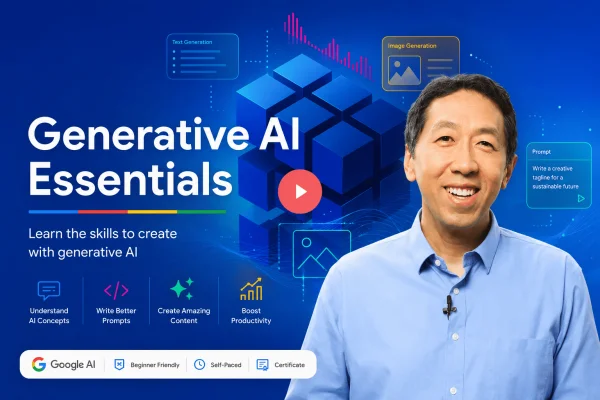
Generative AI for Everyone

Generative AI for Everyone is a beginner-friendly course by DeepLearning.AI, taught by Andrew Ng. It explains how generative AI works, its capabilities and limitations, practical AI tools and applications, prompt engineering, and the impact of generative AI on business and society. No coding experience or prior AI knowledge is required.

Andrew Ng
Beginner
Google AI Essentials Specialization Freemium
Coursera 8 hours

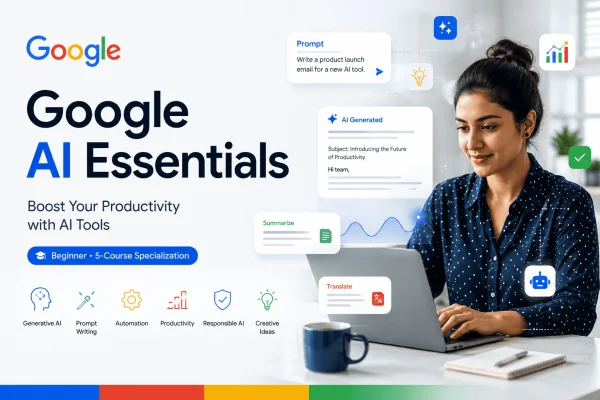
Google AI Essentials Specialization

Learn how to use generative AI tools to improve productivity, develop ideas, write effective prompts, evaluate AI outputs, and use AI responsibly with the Google AI Essentials Specialization.

Google Career Certificates
Beginner 4.8
Advanced Agentic AI and Generative AI Paid
Udemy 2.5 hours on-demand video

Advanced Agentic AI and Generative AI

Learn Generative AI and Agentic AI with Python, covering LLMs, prompt engineering, AI agents, RAG, vector databases, multi-agent systems, tool calling, and real-world AI applications.

Beginner