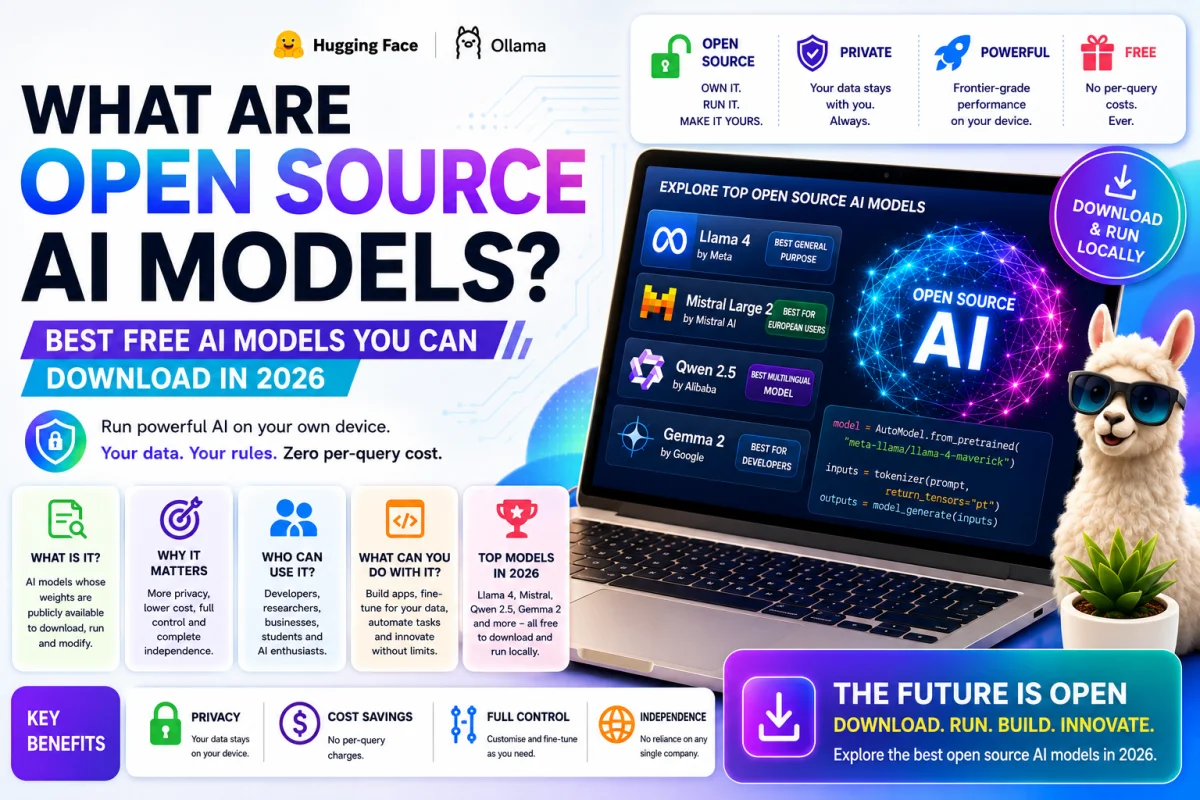
Something quietly remarkable happened in 2026.
The assumption that the best AI models were necessarily locked behind expensive
subscriptions and corporate APIs collapsed almost overnight. One by one, major labs published
their model weights — the actual files that make the AI work — freely available for anyone to
download, run, and in many cases modify.
Today, you can run a genuinely frontier-grade AI model on your own laptop. Your data never
leaves your computer. You pay nothing per query. You own the entire experience.
This is what open source AI means — and this guide explains it simply, from the very beginning.
What Does "Open Source AI" Actually Mean?
The term "open source" comes from the software world, where it means the underlying code is
publicly available for anyone to read, use, and modify.
In the AI world, the most important version of this is called open weights — meaning the
trained model files are publicly available for download. These files contain everything the AI has
learned from its training. When you download them, you have a complete working AI that you
can run yourself.
This is different from the AI tools most people use daily. When you use ChatGPT or Claude, the
model runs on servers owned by OpenAI or Anthropic. Your questions travel to their computers,
the AI thinks about the answer, and the response comes back to you. You never have direct
access to the model itself.
With open source AI, the model runs on your computer. Nobody else sees your questions.
Nobody charges you per message. And you can customise the model to work exactly how you
need it to.
Three years ago, open source AI meant significantly worse quality than the best proprietary
tools. In 2026 that gap has largely closed — to the point where the question is no longer
whether open source AI is good enough, but which open source model fits your specific need
best.
Why Does Open Source AI Matter?
For most casual users, this might sound like a technical detail. It is actually one of the most
significant shifts in how AI is being used across the world.
Privacy. Every question you ask a hosted AI service is processed on someone else's server.
Hospitals, law firms, governments, and individuals with sensitive information often cannot
accept this. Running an open source model locally means your data never leaves your own
device — ever.
Cost. Paying per API call adds up fast for high-volume use. A business making millions of AI
requests per month can spend enormous amounts on proprietary APIs. Running your own open
source model has no per-query cost once set up.
Control. Open source models can be fine-tuned on your own data — teaching them your
specific domain, your company's products, your writing style, your internal processes.
Proprietary models cannot be customised this way.
Independence. When you rely entirely on one company's AI service, you are vulnerable to price
changes, policy changes, outages, and the company's decisions about what the AI will or will
not do. Open source removes that dependency.
Open Source vs Closed AI Models — The Simple
Difference
Think of it this way.
A closed AI model — like GPT-4 or Claude — is like a restaurant. The chef is brilliant, the food
is excellent, and you do not need to know anything about cooking. But you have to go to the
restaurant, pay their prices, eat what they serve, and trust that the kitchen meets your standards
even though you cannot see inside it.
An open source AI model is like having the full recipe. You can cook it yourself at home, modify
the ingredients to suit your taste, share it with friends, and adapt it however you need. It takes
more effort to set up — but you have complete control over every aspect of the experience.
For most people in their daily lives, the restaurant is fine. For professionals, businesses,
researchers, and privacy-conscious users who need that control — the recipe is invaluable.
The Best Open Source AI Models in 2026
Here are the most important open source AI models available right now — explained simply,
with no jargon.
Meta Llama 4 — Best General Purpose Open Model
Made by: Meta (Facebook's parent company) Licence: Llama 4 Community Licence Where to
get it: Hugging Face or Ollama
Meta's Llama family is the most widely used open source AI in the world. Llama 4 Maverick,
released in 2026, delivers the highest benchmark scores of any open model for general English-
language tasks — matching GPT-4 class performance on most practical work including writing,
research, analysis, and coding.
Llama 4 Scout is the lighter version — designed to run efficiently on consumer hardware
including laptops and mid-range desktops. It is multimodal, meaning it can understand both text
and images.
One important note: Llama 4 is technically "open weights" rather than fully open source. The
licence has some commercial-scale restrictions and restricts use by individuals in the EU. For
personal and research use almost anywhere, it is freely available. For commercial deployment,
check the licence carefully.
Best for: General-purpose tasks, writing, research, and anyone who wants the strongest single
open model for everyday use.
Mistral — Best for European Users and Multilingual Work
Made by: Mistral AI (Paris, France) Licence: Apache 2.0 on most models — truly open Where
to get it: mistral.ai or Hugging Face
Mistral is a French AI company that has become one of the most important voices in open
source AI in 2026. Their models are genuinely open — released under the Apache 2.0 licence,
which means you can use them commercially, modify them, and redistribute them without
restrictions.
Mistral Large 3 supports over 80 languages, making it the top choice for multilingual work. It is
also the preferred option for European organisations with data sovereignty requirements —
keeping data within EU jurisdiction. Mistral Small 4 is their latest compact model, excellent for
resource-constrained environments.
Best for: European users, multilingual applications, and anyone who needs a truly commercial-
grade open licence with no restrictions.
DeepSeek — Best for Reasoning and Mathematics
Made by: DeepSeek (China) Licence: MIT on model weights — the most permissive licence
available Where to get it: Hugging Face or deepseek.com
DeepSeek shocked the AI world in early 2025 by producing a model competitive with GPT-4 at
a tiny fraction of the training cost. In 2026, DeepSeek V4 continues this trajectory — with a 1
million token context window and MIT licence that lets you do literally anything with the weights.
DeepSeek R1 is their reasoning-focused model — particularly powerful for mathematics, logic
problems, and step-by-step analysis. It competes directly with OpenAI's reasoning models on
benchmark tests.
The important nuance: the hosted DeepSeek API processes data on servers in China, raising
data residency concerns for regulated workloads. But downloading and running the weights
locally — which the MIT licence fully permits — keeps your data completely private.
Best for: Mathematics, reasoning tasks, long-document analysis, and anyone who wants
maximum licensing freedom.
Qwen — Best for Coding and Multilingual Use
Made by: Alibaba Cloud (China) Licence: Apache 2.0 Where to get it: Hugging Face
Qwen 3.5 from Alibaba is one of the most impressive open source releases of 2026. The model
supports 201 languages — the broadest multilingual coverage of any open model. The coding-
focused Qwen3-Coder variant scores among the best on software engineering benchmarks of
any open model available.
Qwen comes in a range of sizes from very small (0.6 billion parameters — runnable on almost
any device) to very large. The 8 billion parameter version runs comfortably on a standard laptop
with a modern GPU, making it one of the most accessible high-quality options for everyday
users.
Best for: Coding, multilingual applications, and users who need a capable model on limited
hardware.
Google Gemma 3 — Best for Running on Limited Hardware
Made by: Google DeepMind Licence: Gemma Terms of Use Where to get it: Hugging Face or
ai.google.dev
Google's Gemma 3 is specifically designed to run efficiently on consumer hardware — including
laptops and even smartphones. The 27 billion parameter version delivers impressive quality
while fitting on a single consumer GPU. It is multimodal and handles both text and images.
Gemma is Google's contribution to the open source ecosystem — and it benefits from Google's
research expertise in making models efficient at smaller sizes. For anyone who wants a Google-
quality model running locally on modest hardware, Gemma is the most accessible option.
Best for: Users with limited hardware, mobile deployment, and anyone who needs a capable
multimodal model on consumer-grade equipment.
How to Start Using Open Source AI — The Easiest Way
The easiest way to run open source AI on your own computer in 2026 is through Ollama — a
free tool that handles all the technical complexity for you.
Here is how to get started in under 10 minutes.
Step 1 — Download Ollama from ollama.com. It works on Mac, Windows, and Linux. Install it
like any other application — next, next, finish.
Step 2 — Open your terminal (or Command Prompt on Windows) and type a single command.
To download and run Llama 4: ollama run llama4. To run Mistral: ollama run mistral. To run
Qwen: ollama run qwen3. Ollama downloads the model automatically — no Hugging Face
account needed.
Step 3 — Start chatting. Once downloaded, the model runs locally on your machine. Type your
question in the terminal and the AI responds. Your internet connection is only needed for the
initial download. After that, it works completely offline.
For a more user-friendly interface, install Open WebUI — a free browser-based chat interface
that connects to Ollama and gives you a ChatGPT-style experience running entirely on your
own computer.
What hardware do you need? A laptop from the past four years with at least 8GB of RAM can
run smaller models (7 to 8 billion parameters) reasonably well. A computer with a dedicated
GPU handles larger, more capable models much faster. The smallest capable models —
Qwen3 0.6B, Phi-4 Mini — run on almost any modern device including older machines.
Where to Find and Download Open Source AI Models
Hugging Face is the largest repository of open source AI models in the world — think of it as
GitHub for AI. Every major open model is available here. You can browse, download, and run
models directly or through tools like Ollama.
Ollama is the simplest way to download and run models on your own computer. One command
downloads and launches any model from their library.
LM Studio is a free desktop application for Mac, Windows, and Linux that provides a graphical
interface for downloading and chatting with open source models — no terminal required. Ideal
for non-technical users.
Open Source AI vs Paid AI Tools — When to Use Which
Open source AI is the right choice when privacy matters most, when you need commercial
control over the model, when you are running high query volumes where per-token costs add
up, or when you need to customise the model on your own data.
Paid AI tools like ChatGPT, Claude, and Google Gemini are still the better choice when you
need the absolute frontier of AI capability with no setup, when you want the most polished user
experience, when you need features like image generation or voice mode built in, or when you
simply do not want to manage any infrastructure.
In 2026, many professionals use both — paid tools for everyday convenience and frontier
capability, open source models for sensitive work, high-volume tasks, and use cases that
require full data privacy.
Final Thoughts
Open source AI in 2026 is no longer an experiment for tech enthusiasts. It is a genuine
alternative for anyone who cares about privacy, cost, control, or customisation.
The models available today — Llama 4, Mistral, DeepSeek, Qwen, Gemma — deliver quality
that was exclusive to the most expensive proprietary services just two years ago. And tools like
Ollama have made running them accessible to anyone with a laptop and 10 minutes to spare.
Download Ollama and run your first local AI model today. The experience of chatting with an AI
that runs entirely on your own machine — with no data leaving your computer and no
subscription required — is genuinely worth experiencing.
Want to stay updated on the best free AI tools, open source news, and everything
happening in AI? Visit ArtificialIntelligenceFiles.com — your simple guide to everything in
AI, updated every week.
Frequently Asked Questions (FAQs)
Q1. What is an open source AI model in simple words?
An open source AI model is an AI that has been made publicly available for anyone to download
and run on their own computer — for free. Instead of accessing AI through a subscription
service like ChatGPT, you download the actual model files and run the AI yourself. Your data
stays on your device, you pay nothing per query, and you have full control over how the model
is used. The most well-known examples in 2026 are Meta's Llama 4, Mistral, DeepSeek, Qwen,
and Google's Gemma.
Q2. What is the best free open source AI model in 2026?
The best open source model depends on your specific need. For general-purpose use, Llama 4
Maverick delivers the strongest performance for everyday writing, research, and analysis. For
coding, Qwen3-Coder and Mistral are top choices. For reasoning and mathematics, DeepSeek
R1 is the leader. For running on limited hardware with a laptop, Gemma 3 27B or Qwen3 8B are
the most accessible options. All are available free through Hugging Face or Ollama.
Q3. How do I run an open source AI model on my own computer?
The easiest way is to download Ollama at ollama.com — it works on Mac, Windows, and Linux.
After installing, open a terminal and type a single command like "ollama run llama4" or "ollama
run mistral" to download and start the model. For a user-friendly chat interface without a
terminal, download LM Studio at lmstudio.ai — it provides a graphical app for downloading and
chatting with models. A laptop from the past few years with at least 8GB of RAM can run smaller
capable models without any special hardware.
Q4. What is the difference between open source and closed AI models?
Closed AI models — like ChatGPT and Claude — run on the company's servers. Your
questions are processed on their computers, you pay a subscription or per-query fee, and you
cannot see or modify the model. Open source AI models are publicly available to download and
run on your own hardware. Your data never leaves your device, there is no per-query cost once
set up, and in most cases you can modify and fine-tune the model on your own data. The trade-
off is that closed models currently offer slightly better quality at the frontier and require zero
setup.
Q5. Is open source AI safe to use?
Running open source AI models locally on your own computer is generally safe and private —
your data stays on your device and is not sent to any external server. The models themselves
are published by reputable organisations including Meta, Google, Mistral, and Alibaba, and have
been reviewed by thousands of researchers worldwide. The main safety consideration is
licensing — always check the specific licence of any model before using it commercially, as
some have restrictions on commercial use, scale, or geographic region. For personal and
research use, all the models in this guide are freely and safely usable.
