Udemy Adobe Firefly ElevenLabs Google Flow Science & Technology AI Basics for Beginners business growth AI AI Apps Replit

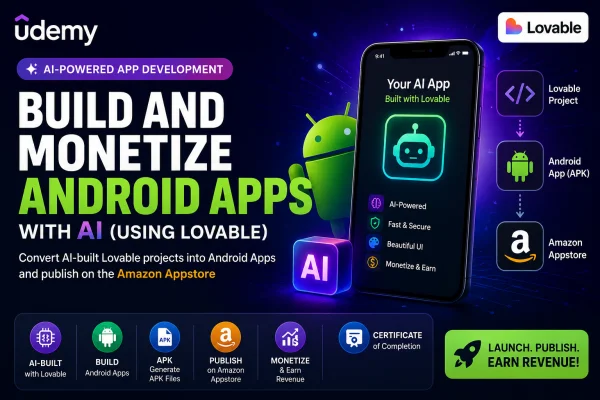
Build and Monetize Android Apps with AI (Using Lovable)

By Daniel Styles Posted: Jul 28, 2026

Course Details

Pricing Paid
Offered By Udemy
Difficulty Beginner
Duration 1 hour on-demand video
Language English
Certificate Available

Course Curriculum & Description

This practical course is designed for creators, developers, entrepreneurs, and AI enthusiasts who want to turn their Lovable AI web projects into Android applications.

You'll discover how to package Lovable projects for Android, configure your development environment, generate APK files, test applications, publish them to the Amazon Appstore, and start monetizing your AI-powered mobile apps.

No advanced Android programming experience is required, making this an excellent course for beginners who want to launch mobile apps quickly.


What You'll Learn

  1. Convert Lovable projects into Android applications.
  2. Package AI-generated web apps for Android.
  3. Build APK files.
  4. Publish apps on the Amazon Appstore.
  5. Understand Android app deployment.
  6. Configure development tools.
  7. Connect projects with GitHub.
  8. Test Android applications.
  9. Monetize Android apps.
  10. Launch AI-powered mobile applications.


Course Curriculum

Section 1 — Introduction

  1. Course Overview
  2. Required Tools
  3. Development Environment

Section 2 — Explore the Amazon Appstore

  1. Amazon Developer Console
  2. Publishing Requirements

Section 3 — Building Your App

  1. Export Lovable Project
  2. Configure Android Project
  3. Generate APK
  4. Testing

Section 4 — Publish on Amazon Appstore

  1. Upload APK
  2. App Listing
  3. Store Assets
  4. Final Submission


What You Will Learn

  • Convert AI-generated projects into Android apps.
  • Build APK packages successfully.
  • Publish apps to the Amazon Appstore.
  • Understand Android deployment workflow.
  • Monetize Android applications.
  • Work with GitHub during deployment.
  • Launch production-ready Android apps.

Course Prerequisites

Basic computer skills
Internet connection
GitHub account (recommended)
Android Studio installed
Basic understanding of web applications
Lovable AI project

Course Highlights

Beginner-friendly
1 hour of video content
Practical project
Amazon Appstore publishing
AI-powered development workflow
Certificate of Completion
Lifetime access
Learn at your own pace

Tagged Topics & Skills

Categories:
Skills Mapped:
AI Development Lovable AI Android Apps APK Generation Amazon Appstore Mobile App Development App Publishing App Monetization GitHub Android Studio Basics

Ready to Start Learning?

Enroll directly on the official Udemy website to begin your lessons.

Open Course Website

Associated AI Tools

Microsoft Copilot

Microsoft Copilot is Microsoft's AI assistant for everyday work, learning, creativity, research, and productivity. It can answer questions, generate and improve content, analyze information, create images, summarize material, and help users complete tasks. Copilot is available through the web, mobile devices, Microsoft Edge, and Microsoft 365 apps such as Word, Excel, PowerPoint, Outlook, and Teams. (microsoft.com)Uses of Microsoft CopilotMicrosoft Copilot can help users write emails, documents, presentations, reports, social media content, and other material. It can summarize information, answer questions, brainstorm ideas, analyze data, create images, assist with coding, and provide research support. In Microsoft 365, Copilot can work directly inside familiar applications, helping users complete tasks without constantly switching between different tools. (microsoft.com)For businesses, Copilot can connect AI assistance with company information and workplace applications. Microsoft 365 Copilot uses Work IQ to understand relevant work context, while Copilot Chat provides web-grounded AI assistance. Businesses can also use agents to automate repetitive tasks, search across connected business data, and support workflows. (microsoft.com)Microsoft Copilot Models & Sub-ModelsCopilot Chat is the general AI chat experience for asking questions, generating content, researching topics, and working with web information. It uses Microsoft's model-routing system to select an appropriate AI model based on the user's request. (learn.microsoft.com)Quick Response is Copilot's faster response mode for everyday questions and routine tasks. Copilot's real-time router can choose a high-throughput model when a request does not require deeper reasoning, helping provide quicker answers. (learn.microsoft.com)Think Deeper is Copilot's deeper reasoning mode for complex questions and open-ended tasks. It gives the underlying reasoning model more time to plan, understand context, and check its work before producing an answer. (learn.microsoft.com)Latest OpenAI Models power current Microsoft 365 Copilot experiences. Microsoft's business plans currently provide access to the latest OpenAI models, including GPT-5.x models, with model selection and priority access depending on the plan. (microsoft.com)Microsoft 365 Copilot brings AI directly into Word, Excel, PowerPoint, Outlook, Teams, and other Microsoft 365 applications. It can use work context and organizational information to help draft documents, analyze spreadsheets, create presentations, summarize communications, and support workplace tasks. (microsoft.com)Work IQ is Microsoft's workplace intelligence layer for Copilot. It connects relevant information about a user's work, organization, applications, data, and tasks so Copilot can provide more context-aware assistance. (microsoft.com)Copilot Cowork helps users delegate more complex, multi-step projects to AI. It is designed to work with business context and connected applications so users can hand off larger tasks while continuing to manage multiple projects. (microsoft.com)Copilot Agents are specialized AI assistants that can perform specific tasks or workflows. Organizations can use ready-made agents or create their own agents with Copilot Studio, allowing AI to work with business information and automate repetitive processes. (microsoft.com)Copilot Studio is Microsoft's platform for creating custom AI agents and workflows. Businesses can build autonomous agents, connect them to company data, and deploy them across websites, applications, and other channels. (microsoft.com)PricingMicrosoft Copilot has free access for general AI chat, while expanded Copilot capabilities are included with Microsoft 365 subscription plans. In India, Microsoft 365 Personal costs ₹689/month or ₹6,899/year, while Microsoft 365 Family costs ₹819/month or ₹8,199/year. Microsoft 365 Premium costs ₹1,999/month or ₹19,999/year and includes higher AI usage and advanced Copilot features. (microsoft.com)For businesses, Microsoft 365 Copilot Business starts at ₹1,495.73/user/month when paid yearly under the current promotional pricing, while Microsoft 365 Copilot for enterprise is ₹2,495/user/month when paid yearly. Eligible business plans can also try Copilot through available trial offers. (microsoft.com)Free: Yes, Copilot ChatPaid: Yes — Microsoft 365 Personal, Family, Premium, Business, and Enterprise optionsFree Trial: Available for selected Microsoft 365 Copilot plansBest Use CasesMicrosoft Copilot is best suited for students, professionals, writers, marketers, developers, researchers, educators, entrepreneurs, and businesses already using Microsoft's ecosystem. It can be used for writing, research, presentations, spreadsheet analysis, email management, image creation, coding, meeting and document summaries, business intelligence, workflow automation, and AI-powered workplace assistance. Its strongest advantage is its integration with Microsoft 365, allowing users to combine generative AI with Word, Excel, PowerPoint, Outlook, Teams, company data, and custom AI agents in one connected productivity environment. (microsoft.com)
Free

CinLink

CinLink AI is an AI-powered media workspace that helps users create, edit, translate, dub, subtitle, summarize, and repurpose videos using natural-language instructions. It coordinates different AI models and media tools inside one workflow, allowing creators to work with their own footage, images, and files while reviewing results before exporting the final version.Uses of CinLink AICinLink AI can turn long videos into short clips, generate subtitles and SRT files, transcribe speech, translate videos, create multilingual captions, add voiceovers, and burn subtitles directly into videos. It can also search through media for specific people, spoken words, scenes, actions, or on-screen text, making large video projects easier to manage.The platform also supports creative workflows such as text-to-video, image-to-video, reference-based generation, image creation, video editing, aspect-ratio changes, video enhancement, watermarks, summaries, and social-media versions. Users can create multiple versions of the same project, including 16:9, 9:16, and 1:1 formats, without rebuilding the entire workflow.CinLink AI Models & Sub-ModelsAI Media Workflow Engine coordinates the different AI models and media-processing tools needed to complete a user's request. Instead of requiring users to select every individual tool, CinLink can understand an instruction and build a complete workflow from processing to final export.AI Video Generation supports text-to-video, image-to-video, reference-based generation, and creating missing shots. This helps users generate new visual content or add scenes to an existing project.AI Image Generation can create images from text, produce image variations, work with reference images, and generate covers, thumbnails, and storyboard frames for video projects.AI Transcription & Subtitle Generator converts spoken audio into timed subtitles. Users can review and edit the generated text, adjust timing, style captions, export SRT files, or permanently burn subtitles into videos.AI Translation & Dubbing can translate captions and video content into other languages and prepare multilingual voice tracks. Users can review translations, correct terminology, and create bilingual or localized versions of their videos.AI Media Search lets users search across a project using transcripts, visuals, on-screen text, people, speakers, and timecodes. This is useful for finding specific moments in long recordings without manually watching the entire video.AI Video Repurposing can turn an approved video into short highlights, social-media clips, different aspect ratios, captioned versions, language versions, and summaries. This makes CinLink useful for producing multiple pieces of content from one original video.PricingCinLink uses a credit-based pricing model. Its current Free plan provides 100 one-time credits, while the Creator plan costs $19/month with 2,500 credits and the Studio plan costs $59/month with 8,500 credits. An Enterprise option with custom pricing is also available.Free: Yes, 100 one-time creditsPaid: Yes, Creator and Studio plansFree Trial: Yes, through the Free planBest Use CasesCinLink AI is best suited for content creators, video editors, social media managers, marketers, podcasters, educators, freelancers, small businesses, and creative teams. It can be used to create social-media clips, subtitle videos, translate content, produce multilingual versions, dub videos, summarize webinars, find important moments in long recordings, create product videos, and repurpose existing footage. Its natural-language workflow is especially useful for people who want to describe what they need instead of manually managing every editing step.
Free

ImaginPrompt

Advanced visual prompts builder and enhancer for Midjourney and DALL-E.
Free

Related Courses

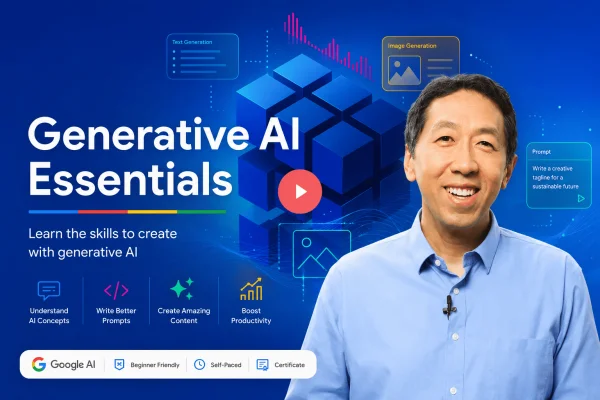
Generative AI for Everyone Freemium
DeepLearning.AI 5h 1m

Generative AI for Everyone

Generative AI for Everyone is a beginner-friendly course by DeepLearning.AI, taught by Andrew Ng. It explains how generative AI works, its capabilities and limitations, practical AI tools and applications, prompt engineering, and the impact of generative AI on business and society. No coding experience or prior AI knowledge is required.

Andrew Ng
Beginner
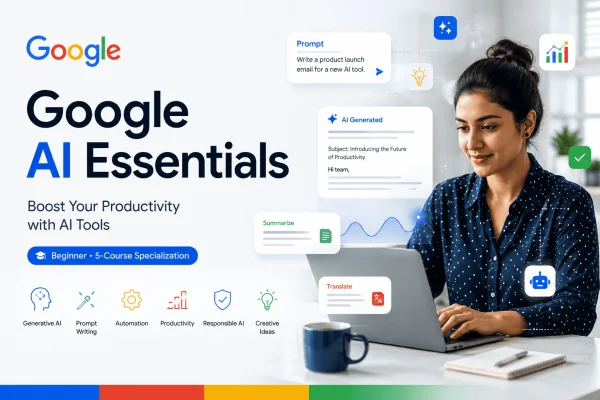
Google AI Essentials Specialization Freemium
Coursera 8 hours

Google AI Essentials Specialization

Learn how to use generative AI tools to improve productivity, develop ideas, write effective prompts, evaluate AI outputs, and use AI responsibly with the Google AI Essentials Specialization.

Google Career Certificates
Beginner 4.8
The Complete Video Editing Series | HINDI Paid
Udemy 5 hours 56 minutes

The Complete Video Editing Series | HINDI

Learn professional video editing in Hindi with Adobe Premiere Pro, DaVinci Resolve, and After Effects, covering editing, audio, color grading, motion graphics, animation, and export workflows.

Beginner