Coursera Stable Diffusion Flux Ideogram Adobe Firefly AI Automation

Large Multimodal Model Prompting with Gemini

By Erwin Huizenga Posted: Jul 30, 2026

Course Details

Pricing Free
Offered By DeepLearning.Ai
Difficulty Beginner
Duration 2 Hours
Language English
Certificate None

Course Curriculum & Description

Learn how to unlock the full capabilities of Google Gemini's multimodal AI models by building hands-on projects using advanced prompting techniques. In this beginner-friendly guided project from DeepLearning.AI, you'll explore how Gemini processes text, images, audio, and video simultaneously to solve real-world AI problems.

You'll practice designing effective prompts, use Gemini APIs, integrate function calling, analyze multimedia content, and understand multimodal reasoning. By the end of the project, you'll be able to create intelligent AI workflows that leverage Google's latest multimodal large language models.

This project is ideal for developers, AI enthusiasts, prompt engineers, and anyone looking to gain practical experience with Gemini and multimodal AI systems.


Project Sections

Section 1 – Introduction to Gemini

  1. Overview of Gemini Models
  2. Understanding Multimodal AI
  3. Setting Up the Environment

Section 2 – Prompt Engineering Fundamentals

  1. Effective Prompt Design
  2. Prompt Optimization
  3. Chain-of-Thought Prompting
  4. Best Practices

Section 3 – Working with Multimodal Inputs

  1. Text + Image Prompting
  2. Audio & Video Understanding
  3. Cross-modal Reasoning
  4. Visual Analysis

Section 4 – Gemini API & Function Calling

  1. API Integration
  2. Function Calling
  3. Building AI Workflows
  4. Practical Examples

Section 5 – Final Hands-on Project

  1. Real-world Multimodal AI Application
  2. Testing & Optimization
  3. Final Review


What You Will Learn

  • Create effective Gemini prompts
  • Build multimodal AI applications
  • Use Gemini API efficiently
  • Apply prompt optimization techniques
  • Combine text and image understanding
  • Improve AI reasoning accuracy
  • Build AI-powered automation workflows
  • Understand multimodal LLM capabilities
  • Gain hands-on experience with Gemini
  • Prepare for advanced prompt engineering

Course Prerequisites

Basic computer skills
Interest in Artificial Intelligence
No programming experience required
Familiarity with Generative AI concepts is helpful
Internet connection

Course Highlights

Official DeepLearning.AI Guided Project
Hands-on Learning
Google Gemini Integration
Multimodal Prompt Engineering
Real-world AI Examples
Function Calling Techniques
API Integration
Beginner Friendly
Project-based Learning
Self-paced Course

Tagged Topics & Skills

Categories:
Skills Mapped:
Prompt Engineering Gemini API Google Gemini Generative AI AI Applications Large Language Models LLM Prompting Prompt Optimization Text Processing AI Projects Multimodal AI Function Calling Image Analysis AI Reasoning Multimodal Learning

Ready to Start Learning?

Enroll directly on the official Coursera website to begin your lessons.

Open Course Website

Associated AI Tools

Claude

About ClaudeClaude is an AI-powered assistant developed by Anthropic that helps users write, code, research, analyze documents, and solve complex problems through natural conversations. It is known for its strong reasoning, long-context understanding, and focus on safety and accuracy. Claude is designed for students, professionals, developers, researchers, businesses, and content creators who need a reliable AI assistant for everyday and professional tasks.Uses of ClaudeClaude helps users create high-quality content, write emails, summarize long documents, generate reports, answer questions, and explain complex topics in simple language. It is also widely used for coding, debugging, brainstorming ideas, translating text, and improving productivity across different industries.Businesses use Claude to analyze contracts, process large documents, automate workflows, create marketing content, and support customer communication. Developers can generate and review code, while students and researchers use Claude for learning, note-taking, research, and document analysis. Its ability to understand large amounts of information makes it especially useful for handling detailed projects.Claude Models & Sub-ModelsClaude Opus 4.1 is Anthropic's most advanced AI model, built for deep reasoning, complex problem-solving, software development, research, and business analysis. It delivers highly accurate responses and is ideal for professional and enterprise-level tasks.Claude Sonnet 4 is a balanced model that offers excellent performance for writing, coding, research, and everyday productivity. It combines speed, accuracy, and affordability, making it one of the most popular Claude models.Claude Haiku 4 is the fastest and most lightweight model in the Claude family. It is designed for quick responses, customer support, content generation, and routine business tasks while maintaining high-quality output.Claude also supports advanced capabilities such as document analysis, code generation, file uploads, image understanding, web search (on supported plans), and tool integration. These features help users complete complex tasks more efficiently while working with large documents and multiple data sources.PricingClaude offers a Free Plan with access to its core AI features and usage limits. It also provides Paid Plans, including Claude Pro, Claude Max, Team, and Enterprise, which offer higher usage limits, access to the latest AI models, priority performance, collaboration features, and advanced business capabilities. There is no separate Free Trial, as users can explore the platform through the free plan before upgrading.Best Use CasesClaude is an excellent AI assistant for students, educators, developers, writers, researchers, marketers, entrepreneurs, and businesses. It can be used to write articles, summarize documents, analyze reports, generate code, create business plans, automate workflows, answer research questions, and improve productivity. Whether you need help with learning, software development, content creation, or business operations, Claude provides accurate, thoughtful, and reliable AI assistance in an easy-to-use conversational interface.
Free

deepseek

About DeepSeekDeepSeek is an AI-powered assistant that helps users write content, generate code, solve problems, analyze documents, and answer questions with speed and accuracy. It is known for its strong reasoning, coding, and mathematical capabilities. DeepSeek is designed for students, developers, researchers, businesses, and content creators who want an intelligent AI assistant for learning, productivity, and professional work.Uses of DeepSeekDeepSeek helps users complete everyday tasks such as writing articles, emails, reports, and social media content while also assisting with research, brainstorming, and document analysis. Students can use it to understand complex topics, summarize notes, prepare for exams, and improve their writing skills. Its conversational interface makes learning and problem-solving simple for users of all experience levels.The platform is also widely used by developers and businesses. It can generate code, debug programs, explain programming concepts, automate repetitive tasks, analyze large datasets, and create technical documentation. Businesses use DeepSeek for content creation, workflow automation, customer support, and productivity, making it a versatile AI tool for both personal and professional use.DeepSeek Models & Sub-ModelsDeepSeek-V3 is the platform's flagship large language model, built for high-quality writing, coding, reasoning, and business tasks. It delivers fast, accurate, and natural responses, making it suitable for a wide range of everyday and professional applications.DeepSeek-R1 is an advanced reasoning model designed to solve complex mathematical problems, perform logical reasoning, write code, and handle multi-step analytical tasks. It is ideal for developers, researchers, engineers, and professionals who need deeper problem-solving capabilities.DeepSeek-Coder is a specialized coding model that helps developers write, complete, optimize, and debug code in multiple programming languages. It supports software development, technical documentation, and programming education.DeepSeek-VL (Vision-Language) combines image understanding with language processing, allowing users to analyze images, answer questions about visual content, and extract information from charts, documents, and photographs.DeepSeek also offers API access for developers, making it easy to integrate its AI models into websites, applications, business software, and automation workflows.PricingDeepSeek offers a Free Plan that gives users access to its AI chatbot and core features. It also provides Paid API Services for developers and businesses that require higher usage limits, faster performance, and AI integration into their applications. There is no separate Free Trial, as users can explore the platform through its free version before using paid API services.Best Use CasesDeepSeek is an excellent AI tool for students, developers, researchers, content creators, educators, entrepreneurs, and businesses. It can be used to write articles, generate code, solve mathematical problems, analyze documents, summarize research, create business reports, automate workflows, and answer technical questions. Whether you need help with learning, software development, content creation, or business productivity, DeepSeek provides a powerful and reliable AI assistant that makes complex tasks faster and easier.
Free

Microsoft Copilot

Microsoft Copilot is Microsoft's AI assistant for everyday work, learning, creativity, research, and productivity. It can answer questions, generate and improve content, analyze information, create images, summarize material, and help users complete tasks. Copilot is available through the web, mobile devices, Microsoft Edge, and Microsoft 365 apps such as Word, Excel, PowerPoint, Outlook, and Teams. (microsoft.com)Uses of Microsoft CopilotMicrosoft Copilot can help users write emails, documents, presentations, reports, social media content, and other material. It can summarize information, answer questions, brainstorm ideas, analyze data, create images, assist with coding, and provide research support. In Microsoft 365, Copilot can work directly inside familiar applications, helping users complete tasks without constantly switching between different tools. (microsoft.com)For businesses, Copilot can connect AI assistance with company information and workplace applications. Microsoft 365 Copilot uses Work IQ to understand relevant work context, while Copilot Chat provides web-grounded AI assistance. Businesses can also use agents to automate repetitive tasks, search across connected business data, and support workflows. (microsoft.com)Microsoft Copilot Models & Sub-ModelsCopilot Chat is the general AI chat experience for asking questions, generating content, researching topics, and working with web information. It uses Microsoft's model-routing system to select an appropriate AI model based on the user's request. (learn.microsoft.com)Quick Response is Copilot's faster response mode for everyday questions and routine tasks. Copilot's real-time router can choose a high-throughput model when a request does not require deeper reasoning, helping provide quicker answers. (learn.microsoft.com)Think Deeper is Copilot's deeper reasoning mode for complex questions and open-ended tasks. It gives the underlying reasoning model more time to plan, understand context, and check its work before producing an answer. (learn.microsoft.com)Latest OpenAI Models power current Microsoft 365 Copilot experiences. Microsoft's business plans currently provide access to the latest OpenAI models, including GPT-5.x models, with model selection and priority access depending on the plan. (microsoft.com)Microsoft 365 Copilot brings AI directly into Word, Excel, PowerPoint, Outlook, Teams, and other Microsoft 365 applications. It can use work context and organizational information to help draft documents, analyze spreadsheets, create presentations, summarize communications, and support workplace tasks. (microsoft.com)Work IQ is Microsoft's workplace intelligence layer for Copilot. It connects relevant information about a user's work, organization, applications, data, and tasks so Copilot can provide more context-aware assistance. (microsoft.com)Copilot Cowork helps users delegate more complex, multi-step projects to AI. It is designed to work with business context and connected applications so users can hand off larger tasks while continuing to manage multiple projects. (microsoft.com)Copilot Agents are specialized AI assistants that can perform specific tasks or workflows. Organizations can use ready-made agents or create their own agents with Copilot Studio, allowing AI to work with business information and automate repetitive processes. (microsoft.com)Copilot Studio is Microsoft's platform for creating custom AI agents and workflows. Businesses can build autonomous agents, connect them to company data, and deploy them across websites, applications, and other channels. (microsoft.com)PricingMicrosoft Copilot has free access for general AI chat, while expanded Copilot capabilities are included with Microsoft 365 subscription plans. In India, Microsoft 365 Personal costs ₹689/month or ₹6,899/year, while Microsoft 365 Family costs ₹819/month or ₹8,199/year. Microsoft 365 Premium costs ₹1,999/month or ₹19,999/year and includes higher AI usage and advanced Copilot features. (microsoft.com)For businesses, Microsoft 365 Copilot Business starts at ₹1,495.73/user/month when paid yearly under the current promotional pricing, while Microsoft 365 Copilot for enterprise is ₹2,495/user/month when paid yearly. Eligible business plans can also try Copilot through available trial offers. (microsoft.com)Free: Yes, Copilot ChatPaid: Yes — Microsoft 365 Personal, Family, Premium, Business, and Enterprise optionsFree Trial: Available for selected Microsoft 365 Copilot plansBest Use CasesMicrosoft Copilot is best suited for students, professionals, writers, marketers, developers, researchers, educators, entrepreneurs, and businesses already using Microsoft's ecosystem. It can be used for writing, research, presentations, spreadsheet analysis, email management, image creation, coding, meeting and document summaries, business intelligence, workflow automation, and AI-powered workplace assistance. Its strongest advantage is its integration with Microsoft 365, allowing users to combine generative AI with Word, Excel, PowerPoint, Outlook, Teams, company data, and custom AI agents in one connected productivity environment. (microsoft.com)
Free

Related Courses

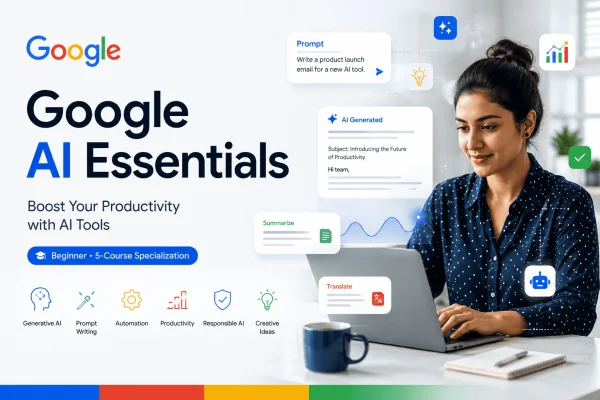
Google AI Essentials Specialization Freemium
Coursera 8 hours

Google AI Essentials Specialization

Learn how to use generative AI tools to improve productivity, develop ideas, write effective prompts, evaluate AI outputs, and use AI responsibly with the Google AI Essentials Specialization.

Google Career Certificates
Beginner 4.8
Google AI Professional Certificate Paid
Coursera 8 hours

Google AI Professional Certificate

Build practical AI fluency with Google’s 8-course Professional Certificate, covering generative AI, prompting, research, communication, content creation, data analysis, and AI-powered app building.

Google Career Certificates
Beginner 4.8
Google AI Professional Certificate Free
Coursera Approximately 8 hours

Google AI Professional Certificate

Build practical AI fluency with Google experts. Learn responsible AI, prompting, research, content creation, data analysis, AI workflows, and no-code app building through hands-on projects.

Google Career Certificates
Beginner