Canva AI
Free TrialAbout Canva AI
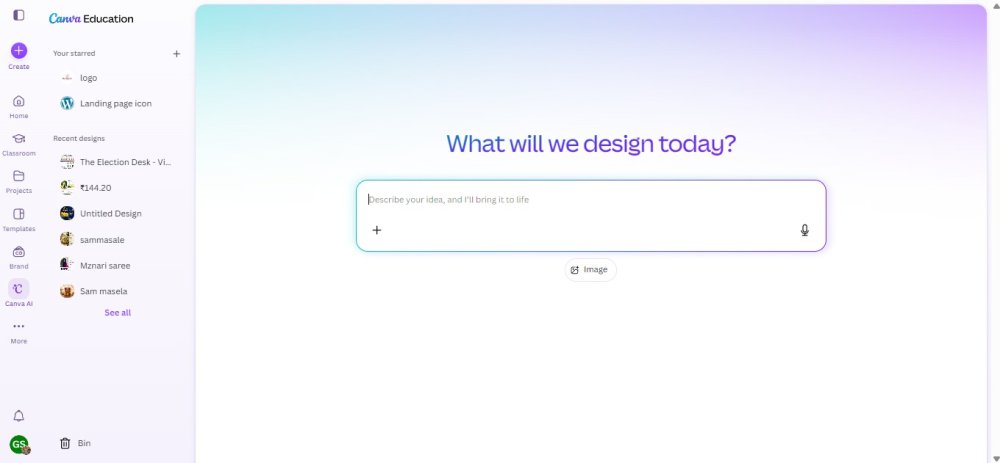
Canva AI is an AI-powered design platform that helps users create professional graphics, presentations, videos, social media posts, documents, and marketing materials in minutes. It combines smart AI tools with Canva's easy drag-and-drop editor, making design simple for everyone. Whether you are a student, creator, marketer, business owner, or educator, Canva AI helps you turn ideas into beautiful designs without requiring design experience.
Uses of Canva AI
Canva AI makes designing faster by generating presentations, social media graphics, logos, posters, videos, and marketing content from simple text prompts. Users can create professional visuals, write content, remove backgrounds, edit images, generate AI artwork, and resize designs for different platforms with just a few clicks.
The platform is also ideal for businesses, educators, and content creators who want to produce high-quality visual content quickly. It can be used to design business presentations, educational materials, YouTube thumbnails, advertisements, resumes, infographics, and brand assets while improving productivity and reducing design time.
Canva AI Models & Sub-Models
Magic Studio is Canva's complete AI toolkit that brings together multiple AI-powered features for designing, writing, image editing, and content creation. It helps users create professional designs faster while simplifying complex design tasks.
Magic Design automatically generates presentations, social media posts, posters, and other designs from a text prompt or uploaded image. It provides ready-to-edit templates based on the user's requirements.
Magic Write is Canva's AI writing assistant that helps users create blogs, captions, emails, product descriptions, presentations, and marketing copy in simple and engaging language.
Magic Media allows users to generate AI images and videos from text prompts, making it easy to create unique visuals without using external design software.
Magic Edit lets users replace or modify objects in images using AI, while Magic Eraser removes unwanted objects from photos. Background Remover quickly separates subjects from image backgrounds for professional editing.
Magic Expand, Magic Grab, and Magic Resize further enhance productivity by expanding images, moving objects within a design, and automatically resizing designs for different social media platforms and marketing channels.
Pricing
Canva AI offers a Free Plan that includes access to basic AI features with limited usage. Paid Plans, including Canva Pro and Canva Teams, provide higher AI usage limits, premium templates, advanced Magic Studio tools, Brand Kit features, and additional cloud storage. A Free Trial is available for eligible users who want to explore Canva Pro before subscribing.
Best Use Cases
Canva AI is perfect for students, teachers, content creators, marketers, entrepreneurs, designers, and businesses that need professional designs quickly. It can be used to create social media posts, business presentations, YouTube thumbnails, marketing campaigns, resumes, infographics, logos, educational materials, advertisements, and AI-generated images and videos. With its simple interface and powerful AI features, Canva AI helps users create high-quality visual content in less time.